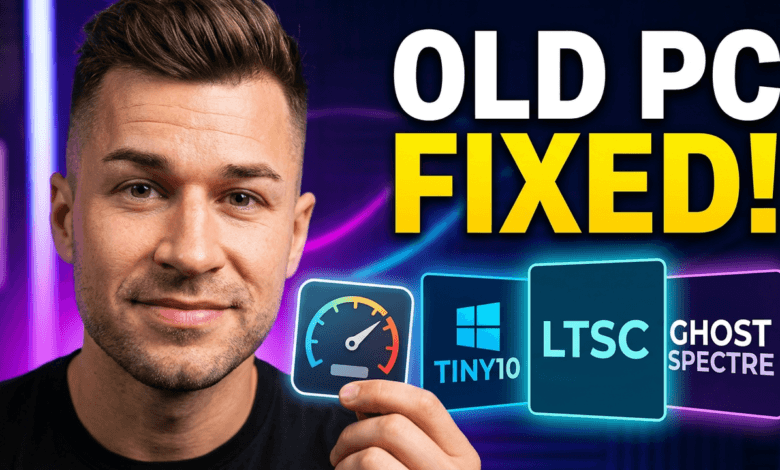
If you have an old PC or a low-end laptop and Windows 10 feels slow, heavy, and full of useless background apps, then you are not alone.
The good news is: there are several lightweight Windows 10 versions that are designed to run faster, use less RAM, consume less CPU power, and take much less storage space compared to the normal official Windows 10.
In this article, you will discover the best smallest and lightest Windows 10 versions in the world (2026), with direct official links where possible.
⚠️ Important Note: Some of these Windows versions are modified community builds and are not officially supported by Microsoft. Always download from trusted sources and scan files before installing.
1) Tiny10 (By NTDEV) – The Most Popular Lightweight Windows 10
Tiny10 is one of the most famous lightweight Windows 10 builds ever created. It is designed for very old and weak PCs, and it removes many unnecessary Windows features to reduce size and improve performance.
This version removes most bloatware, background services, and default Microsoft apps.
Why Tiny10 is so popular
- Very small ISO size
- Low RAM usage
- Faster boot time
- Smooth performance on low-end PCs
- Works great for browsing, Office, and basic tasks
Best for:
✅ Old laptops
✅ 2GB RAM PCs
✅ Low storage devices
✅ Basic Windows users
Download link (Tiny10 ISO)
🔗 https://archive.org/details/tiny-10_202301
2) Windows 10 Enterprise LTSC – Best Official Lightweight Windows 10
If you want a lightweight Windows 10 version but still want something official and stable, then Windows 10 Enterprise LTSC is the best choice.
LTSC stands for Long-Term Servicing Channel and it is designed for business environments where stability is more important than flashy features.
Unlike normal Windows 10, LTSC does not include many consumer apps and unnecessary components.
Why LTSC is the best official choice
- No Cortana
- No Microsoft Store apps by default
- Less bloatware
- Better stability
- Long-term security updates
Best for:
✅ Professional users
✅ Office work
✅ Stable performance
✅ Old PCs that need official Windows
Download link (Windows 10 LTSC)
🔗 https://www.microsoft.com/en-us/evalcenter/evaluate-windows-10-enterprise
3) Ghost Spectre Windows 10 – Extreme Lite Build for Performance
Ghost Spectre Windows 10 is one of the most famous modified Windows builds, especially for users who want maximum speed.
It comes in different versions such as:
- SuperLite
- Compact
- Full
Ghost Spectre removes many Windows services and background tasks to provide a much faster experience.
Why Ghost Spectre is powerful
- Extremely low RAM usage
- Faster system response
- Great for gaming performance
- Very light background usage
Best for:
✅ Gaming PCs
✅ Old low-end computers
✅ People who want maximum speed
Official Ghost Spectre website download
🔗 https://ghostspectre.the-ninja.jp/
Direct Ghost Spectre Windows 10 LTSC page:
🔗 https://ghostspectre.the-ninja.jp/LTSC.1809.html
4) AtlasOS – Best Windows 10 Optimization Project (Not a Separate OS)
AtlasOS is not a Windows version by itself. Instead, it is an optimization project that modifies Windows to become faster, cleaner, and more responsive.
It focuses mainly on:
- reducing latency
- boosting performance
- improving gaming response
- removing unnecessary tasks
Why AtlasOS is different
- Great for FPS and gaming performance
- Low input lag
- Faster overall responsiveness
- Removes telemetry and background services
Best for:
✅ Gaming
✅ Performance enthusiasts
✅ Low-latency systems
Official AtlasOS website
5) Windows 10 Lite Editions – Small ISO Builds (Various Versions)
There are many versions called Windows 10 Lite, and they are created by different people. These builds are usually modified Windows 10 Pro editions with a lot of removed features.
Some of them can be extremely small and run on weak PCs, but their quality depends on the creator.
Why Windows 10 Lite is popular
- Very small installation size
- Runs well on weak hardware
- Less bloatware than normal Windows
Best for:
✅ Very old laptops
✅ Low storage PCs
✅ Simple everyday tasks
Download link (Windows 10 Lite Edition)
🔗 https://archive.org/details/windows-10-lite-edition-19h2-x64
Breathe New Life into Your Old PC: A Complete Guide to Installing Windows 10 Lite
6) Windows 10 Super Minimal (Community Project)
This is a community project that tries to create a very stripped-down Windows experience by removing services and features.
It is not as popular as Tiny10 or Ghost Spectre, but it is interesting for people who want to experiment with extremely minimal Windows.
Best for:
✅ Testing in Virtual Machine
✅ Advanced users
✅ Experimental lightweight builds
Download / Project link
🔗 https://github.com/prclaunchky/Windows-10-Super-Minimal
Comparison Table: Which Lightweight Windows 10 Should You Choose?
| Version | Official? | Best For | Lightweight Level |
|---|---|---|---|
| Tiny10 | ❌ No | Old PCs / basic use | ⭐⭐⭐⭐⭐ |
| Windows 10 LTSC | ✅ Yes | Stability & safety | ⭐⭐⭐ |
| Ghost Spectre | ❌ No | Performance & gaming | ⭐⭐⭐⭐⭐ |
| AtlasOS | ❌ No (optimization) | Gaming performance | ⭐⭐⭐⭐ |
| Windows 10 Lite | ❌ No | Weak hardware | ⭐⭐⭐⭐ |
| Super Minimal Project | ❌ No | Experiments / VM | ⭐⭐⭐⭐⭐ |
Important Warnings Before Installing Lightweight Windows 10
Before you install any modified Windows version, you should know these important facts:
1) Security Risk
Some modified ISOs may contain malware or spyware. Always download from trusted sources.
2) Missing Features
Many lightweight builds remove:
- Windows Defender
- Microsoft Store
- Windows Update services
- Built-in drivers
3) Updates May Not Work
Some versions do not support normal Windows updates.
4) Best Practice
It is always recommended to test these versions first in:
- VirtualBox
- VMware
- Secondary PC
Best Recommendation (2026)
Here is the best recommendation based on your needs:
Best smallest Windows 10:
✅ Tiny10
Best safest lightweight Windows 10:
✅ Windows 10 Enterprise LTSC
Best fastest Windows 10 for gaming:
✅ Ghost Spectre + AtlasOS
Best for very old PCs:
✅ Tiny10 or Ghost Spectre SuperLite
Final Conclusion
If you want the smallest and lightest Windows 10 version in the world, Tiny10 is one of the best options.
If you want a lightweight Windows but still official and secure, Windows 10 Enterprise LTSC is the smartest choice.
And if you want the fastest possible Windows 10 for gaming and high performance, then Ghost Spectre and AtlasOS are excellent options.